Skip to main content
Skip to footer
Easy to create a calculated form with Bricks Builder
Demo: (Quantity * Price)
Step by step to create calculated form with Bricks Builder
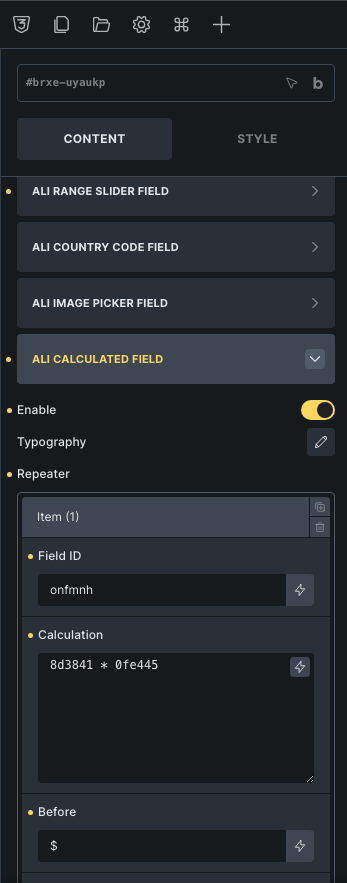
Step 2: Enable Ali calulation (Calculated form with Bricks Builder)

Step 3: Copy field id of field which you want to show the result of calculation. Copy the field ID of the fields you want to perform calculations on, and paste it into the 'Calculation' field.
Calculated form with Bricks Builder play a significant role in creating and managing forms on your website. Here are the reasons why they are particularly important:
1. Flexibility: Calculated form allow you to perform complex calculations or automatically generate data based on the values entered into the form. This helps create custom forms for various purposes.
2. Increased Interaction: By displaying calculation results immediately after users fill in information, calculated fields can create interaction and engagement within your forms. This can provide a predictive and convenient user experience.
3. Time Savings: Calculated fields automate complex calculations that users previously had to perform manually, saving time and reducing the risk of errors in data entry.